

Facebook Ad Fatigue: How Small Brands Spot It and Refresh Ads
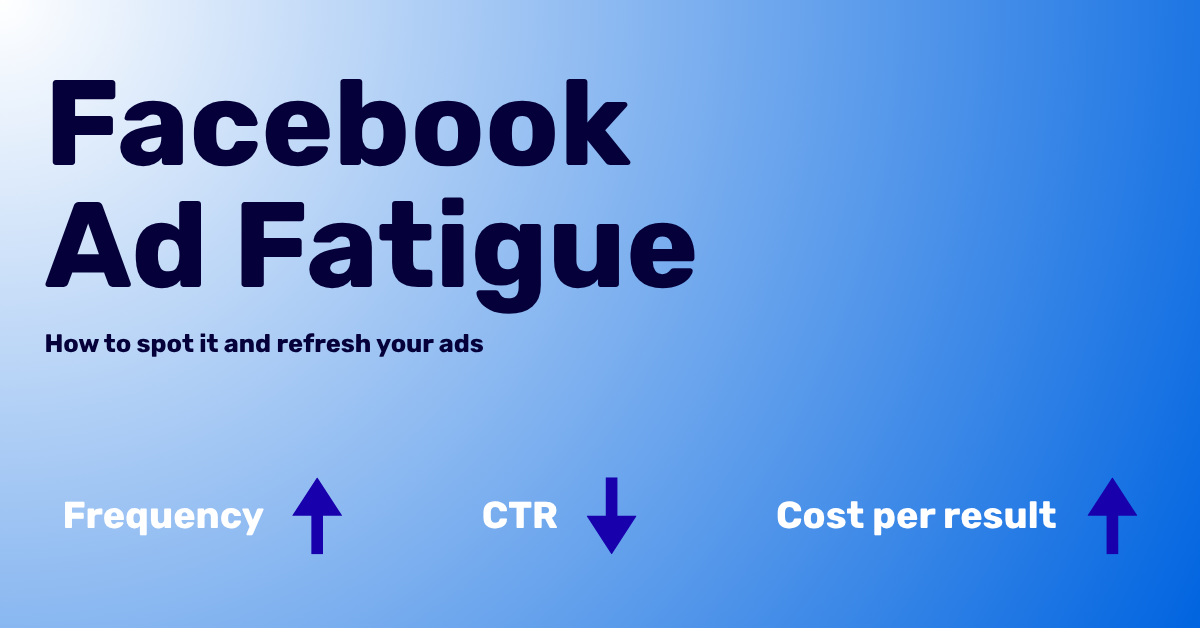
Your best Facebook ad was working last week. This week, the cost per purchase is up, clicks are down, and nothing in your store changed.
That pattern has a name: Facebook ad fatigue, which Meta calls creative fatigue. It is a common reason a small Shopify brand loses a winning ad, and you can fix it without an agency.
This guide shows you how to spot ad fatigue with the signals Meta already gives you. It also covers how often to refresh, and practical ways to make new ads when you have no designer.
What Is Facebook Ad Fatigue?
Ad fatigue happens when the same people see the same ad too often. In Meta's own words, it occurs when "an audience has seen the same creative too many times."
The result is easy to predict. People scroll past an ad they have already seen, so engagement drops and each sale costs more.
Why Small Brands Feel It Faster
Small brands get hit harder, for simple reasons:
- Smaller audiences. A narrow audience means the same people see your ad again and again.
- Fewer ads in rotation. If you run only 1 ad per ad set, there is nothing fresh to rotate in.
- The same image, many campaigns. Meta counts recent views of the same image or video across your Page's other campaigns, too.
The good news is that Meta now flags these problems for you.
How to Spot Facebook Ad Fatigue in Ads Manager
You do not need a fancy dashboard to catch fatigue early. Ads Manager gives you 2 kinds of signals: labels Meta assigns, and numbers you can watch yourself.
The Labels Meta Shows You
Meta flags tired creative in the Delivery column of your ad set or ad. It compares your ad's cost per result with ads you ran in the past, as explained in Meta's guide to creative fatigue recommendations.
Creative Limited
You see "Creative limited" when your cost per result is higher than your past ads, but less than twice as much. Treat it as an early warning.
Creative Fatigue
You see "Creative fatigue" when your cost per result is at least twice as much as your past ads. At this point, the ad is costing you real money.
A few details are worth knowing:
- Meta may warn you before you publish if it predicts fatigue in the first 7 days.
- These labels apply to ad sets with a single creative. Advantage+ catalog ads, dynamic creative and Advantage+ app campaigns are excluded.
- Meta looks at all recent views of your image or video, including views from your Page's other campaigns.
The Numbers to Watch Yourself
Labels help, but you can often see fatigue coming before Meta labels it. Watch these numbers together:
| Signal | Where to find it | What it suggests |
| Frequency going up | Frequency column | The same people keep seeing your ad |
| Click-through rate going down | CTR (link) column | The ad no longer stops the scroll |
| Cost per result going up | Cost per result column | Each sale or lead costs you more |
Meta defines frequency as impressions divided by reach. It says frequency "may average 1 to 2 per ad set or may be much higher," depending on your budget, audience size and schedule.
There is no magic frequency number. Meta's advice is to watch the pattern: if results drop as frequency rises, your audience may be tired of your ad.
The New Creative Diversity Rating
In August 2026, Meta added a Creative diversity metric to Ads Manager reporting. As Search Engine Land reported, it rates ad sets as Low, Medium or High diversity, and it is labeled "in development."
The metric estimates how visually similar the images and videos in an ad set are. Its job is to flag creatives that have become too alike, which helps you get ahead of fatigue.
To add it, open Ads Manager and click Columns, then Customize columns. Search for "creative diversity" and add it to your view.
What a Low Rating Tells You
A Low rating means your ads look too much alike. A new headline on the same photo will not help much, because the metric compares images and videos.
How Often Should You Refresh Facebook Ad Creative?
Meta does not publish a fixed refresh schedule. Any universal rule, such as "refresh every 2 weeks," is a guess, because fatigue depends on your budget, audience and number of ads.
A better rule is to refresh on signals, not on the calendar:
- Check weekly. Look at the Delivery label, frequency, CTR and cost per result for each active ad set.
- Prepare early. Have your next set ready when an ad shows "Creative limited," not after it hits "Creative fatigue."
- Do not kill the winner too soon. Meta notes that keeping your original ad active, instead of pausing it, may maximize results.
For most small brands, the hard part is not knowing when to refresh. It is having new ads ready when the time comes.
What Counts as "New" Creative to Meta
When Meta suggests a fix for fatigue, it recommends a new ad with an image or video that is "materially different" from the original. That phrase matters more than anything else in this guide.
Changes That Count
These give Meta something truly new to show:
- A different product, or a new angle on the same product
- A new setting, such as in use, in hand or on a shelf
- A person using the product instead of a product-only shot
- A new offer, season or occasion, like a holiday bundle
- A different format, such as a carousel instead of a single image
- A different message, such as a review quote instead of a feature list
Changes That Barely Count
These feel like work, but they look the same to a customer scrolling past:
- A new headline on the same photo
- A different button color
- A tighter crop of the same image
- Moving the logo to another corner
A Quick Test
Put your new ad next to the old one at thumbnail size. If a stranger could not tell them apart at a glance, it is probably not materially different.
4 Ways to Make Fresh Ads on a Small Budget
If you do not have a designer on staff, here are the realistic options, with honest trade-offs for each.
1. Make Them Yourself in Canva
Canva is where many owners start, and it works. Canva Pro's Brand Kit keeps your logos, colors, fonts, imagery and guidelines in one place, and Canva's AI uses it when it generates designs.
To avoid ads that all look the same:
- Plan 3 different concepts before you open a template.
- Use your own product photos from your Shopify store, not stock images.
- Change the layout, not only the colors.
The trade-off is time. Each refresh means another evening of design work.
2. Let Advantage+ Creative Vary What You Have
Meta's Advantage+ creative automatically creates variations of your ad from a single image or video. It then shows each person the version they seem most likely to respond to.
It is built into Ads Manager, but it has limits:
- It is only available for campaigns that use the traffic or sales objective with a website destination.
- It works from the image or video you give it, so the core idea of the ad stays the same.
Use it to stretch a winning ad, not to replace one.
3. Hire a Freelancer
A good freelance designer brings real ideas, not just variations. This works well for a seasonal campaign or a new product launch.
The trade-off is cost and waiting time for every round. If you need fresh ads every few weeks, the invoices add up fast.
4. Use a Tool That Builds Ads From Your Website
A newer group of AI tools reads your store first, then makes ads from it. Instead of starting from a blank template, you start from the brand you already have.
IMGPT is one of these tools. It is built for small brands that run their own Facebook and Instagram ads without a designer.
How IMGPT Works
- You paste your store's website or a product page, or describe your business.
- IMGPT builds a brand profile with your voice, colors, typography, audience and products.
- You can review and edit that profile for free before you pay anything.
- It then generates static image ads based on your brand profile.
- You can edit an ad by chatting to it, resize it to 10+ formats and translate it into 30+ languages.
- When an ad is ready, you can download it or publish it straight to Meta.
Why This Helps With Ad Fatigue
Beating fatigue is a supply problem: you need new, materially different creative on a regular basis. When a tool already knows your brand, each new concept starts from your colors, voice and products instead of an empty canvas.
That makes it easier to keep a fresh set ready before your current ads hit "Creative fatigue."
Whichever option you choose, judge the result with the same 2 questions. Does it look like your brand? And is it materially different from what is already running?
A Simple Weekly Routine to Stay Ahead of Ad Fatigue
You do not need a complex system. A short weekly check helps you catch problems early.
Step 1: Set Up Your Columns
Open Ads Manager and add these columns if they are not already in your view:
- Delivery
- Frequency
- CTR (link click-through rate)
- Cost per result
- Creative diversity
Step 2: Flag the Ad Sets at Risk
Mark any ad set that shows "Creative limited," a Low creative diversity rating, or rising frequency with falling CTR. These are your refresh list for the week.
Step 3: Plan 3 Concepts
For each flagged ad set, write down 3 ideas that are materially different from what is running. Use the "Changes That Count" list above as your starting point.
Step 4: Launch Next to the Winner
Add the new ads to the same ad set and keep the original running. Let your results, not your gut, decide which ads stay.
Step 5: Keep a Swipe File
Save every ad that worked, with a short note on why you think it did. Over time, this becomes your own playbook for what your customers respond to.
Facebook Ad Fatigue Checklist
Before your next refresh, run through this list:
- Delivery labels checked for "Creative limited" and "Creative fatigue"
- Frequency, CTR and cost per result compared with last week
- Creative diversity column added and reviewed
- 3 materially different concepts planned for each flagged ad set
- New ads launched next to the current winner
- Winners saved to your swipe file
Frequently Asked Questions
How do I know if my Facebook or Meta ads have creative fatigue?
Check the Delivery column in Ads Manager. Meta shows "Creative limited" when your cost per result is above your past ads, and "Creative fatigue" when it reaches twice as much.
How often should I refresh my Facebook ad creative?
Refresh based on signals, not a fixed schedule. Get new ads ready when you see "Creative limited," rising frequency or falling CTR.
Should I pause an ad that has creative fatigue?
Not always. Meta notes that keeping your original ad active, instead of pausing it, may maximize results, so add new creative next to it.
What is the easiest way to make new Facebook ads without a designer?
You have 4 practical options: design them yourself in Canva, let Meta's Advantage+ creative vary an existing ad, hire a freelancer, or use a tool that builds ads from your website, such as IMGPT. If time is your bottleneck, a website-based tool removes the blank-canvas step.
Does a new headline fix Facebook ad fatigue?
Usually not on its own. Meta recommends a new image or video that is materially different from the original.
Your Next Step
Facebook ad fatigue is far easier to fix when you catch it early. Open Ads Manager today and add the Delivery and Creative diversity columns to your view. A quick look will show you which ad sets need fresh creative before your costs climb.
Then plan your next 3 concepts this week, while your current ads are still working. If you have no designer, build a free brand profile with IMGPT and see what it makes from your own store.
Guest post by David Popescu