

Are Your Popups Failing — or Just Poorly Set Up?
For some Shopify founders, popups have earned a bad reputation. They feel repetitive. They interrupt the shopping experience. They collect emails that rarely turn into revenue. After a few disappointing tests, it is easy to decide that popups just do not work anymore.
But that is not the full picture. When we analyzed more than 779 million popup impressions across widgets published by Claspo users over the past three years, one thing stood out: popup performance is far from even. For sales-focused ecommerce popups, the top quartile converts roughly 21x better than the low quartile. That kind of spread suggests the channel is not dead. Most brands are just judging it by its weakest version.
The real issue is not whether popups work. It is how they are used, what they ask for, and whether they match shopping intent.
Why Many Popups Underperform Today
Most popup campaigns fail for simple reasons.
The first one is timing. A lot of popups simply show up at the wrong moment. They either jump in too early or wait until the session is almost over.
The second is message fit. A first-time visitor sees the same discount as someone who has already viewed five products and added one to the cart. A returning customer sees the same email capture form as a stranger from paid social traffic. Different intent, same message.
The third is weak measurement. A lot of teams look at one thing first: sign-up rate. Useful, sure — but it only shows part of the picture. A popup can collect a lot of emails and still do very little for revenue. On the other hand, a widget with a lower opt-in rate can bring in stronger leads, more coupon redemptions, or more purchases from high-intent shoppers.
Then there is the format problem. A plain sign-up form sets a very low ceiling. In our data, the average conversion rate for all sign-up forms is 3.53%. That is a useful baseline, but it should not be treated as the full potential of onsite capture.
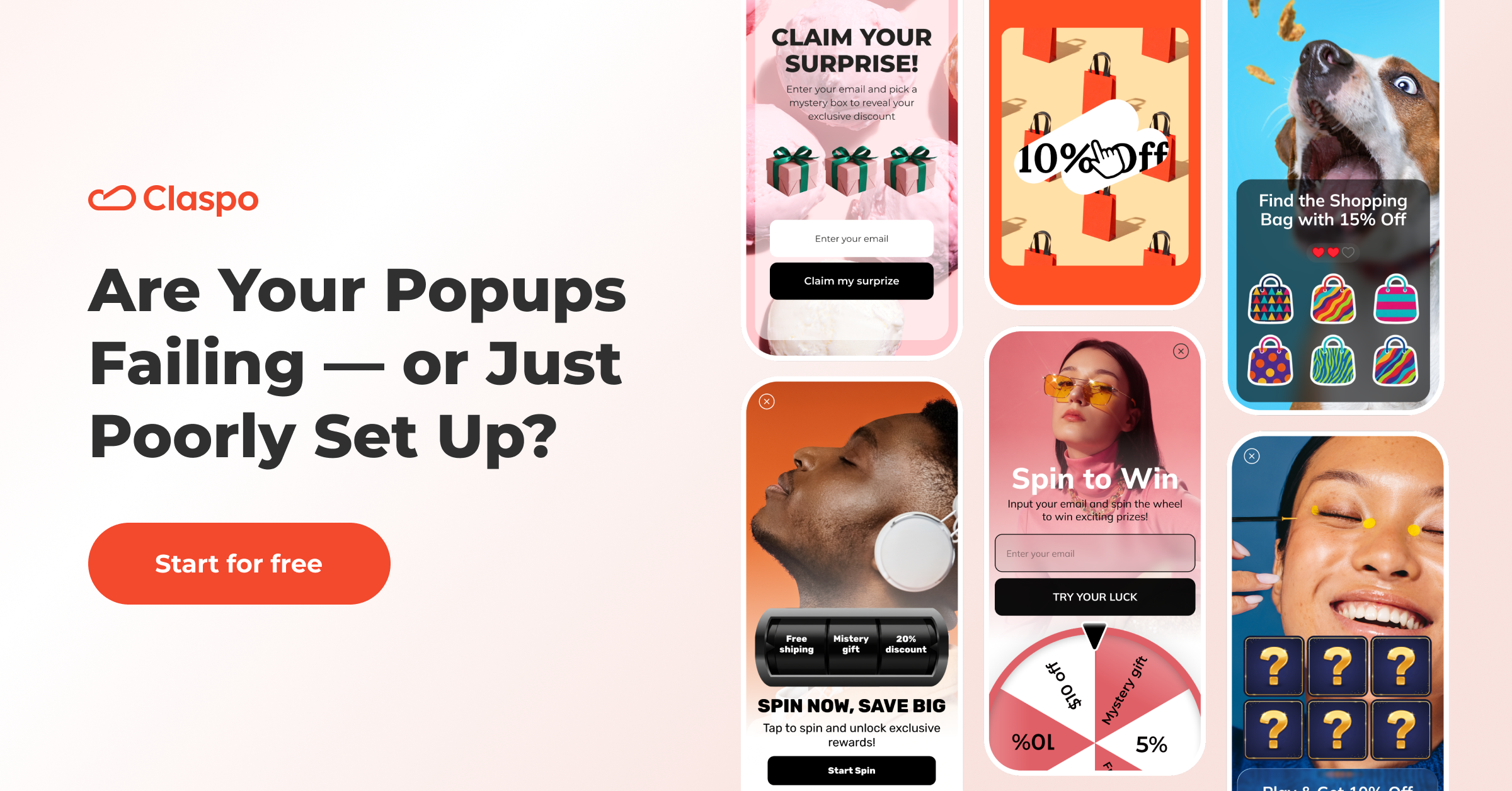
Gamified signup forms average 9.18%, and the top 25% reach 26.41% CR. That does not mean every store needs a spin wheel on every page. It means the way people interact with a popup matters. A better experience can change the result.
Before You Write Popups off, Run These Tests
Some brands give up on popups too early. They launch one or two versions, see mediocre results, and treat that as the channel’s ceiling. But our data shows the gap between weak and strong performance is too wide for that.
In ecommerce, widgets built to drive sales range from 0.70% conversion rate in the low quartile to 15% in the top quartile. For email list growth, the range goes from 0.10% to 6.60% CR. That is not a small lift. That is the difference between a popup people ignore and one that actually pulls its weight.
If your email capture popup is landing somewhere around 0.8% to 2%, that does not mean you have reached the limit. It may just mean you are still in the lower or middle range. That is a lot of room to test before writing the whole channel off.
Here are the tests worth running first.
- Test the moment. Before changing the offer, test a few different moments. Put it on page load, then later on, after some scrolling, or right before exit. You may find that the popup was not weak — it was just badly timed.
- Test the offer itself. A lot of stores jump straight to a basic discount and never move past it. That is risky. People do not respond to every offer the same way, even when the goal is still sales. In our e-commerce data for sales-focused popups, promo code + urgency reached 12.76% CTR, while promo code + timer at 8.98%. That does not mean urgency wins every time. It does mean the offer package matters.
- Test the format. Sometimes the problem is the way the interaction starts. A plain email form asks for work up front. A two-step popup, a yes/no micro-commitment, or a game can make the same action feel lighter. That matters more than many teams expect. The benchmark gap here is hard to ignore. For example, gamified signup forms deliver roughly 3x the conversion rate of standard ones. So if a basic form is underperforming, do not just rewrite the headline five times. Test a different interaction model.
- Test by audience. A sitewide average can hide a lot. Check how the popup behaves with new visitors, returning ones, different traffic sources, and different devices. You may find one segment is carrying the result while another is dragging it down.
- Test intent signals. Compare your regular sitewide popup with one shown only after a stronger buying signal — like an add to cart, a return visit to a product page, or a longer browse in one collection. That test can tell you a lot. If the second version does better, the problem is not the popups themselves. It is that your first setup was too generic.
What Shopping-Intent Targeting Actually Means
A popup works differently depending on who sees it and when. The same message will land very differently with a casual browser, a shopper weighing options, and someone already close to checkout. Treat them as one audience, and results usually flatten.
Intent-based targeting fixes that. It uses behavioral signals to decide what kind of interruption, if any, is worth making. Instead of asking for an email as early as possible, it starts supporting the next logical step in the session: reduce hesitation, save a sale, capture qualified interest, or give a shopper a reason to return. That is why intent targeting matters for CRO.
Which Segments Deserve Which Offers
For cold traffic, it often helps to keep the first step light. A welcome offer, a simple game, or a quick choice before the email field can work best. At this stage, the goal is not to force conversion. It is to start a useful interaction.
For visitors showing category interest, the popup should reflect that interest. A category-led message will usually feel more relevant than a generic storewide offer.
For high-intent shoppers, the logic changes again. When someone has already added an item to cart, or keeps hovering around the same product, the hesitation is different. This is where a reminder, a deadline, or a small perk can feel more relevant.
Returning visitors are another important group. They often need a different push than first-time visitors. Instead of repeating the same welcome popup, it may be smarter to acknowledge familiarity: show a stronger offer, highlight urgency, or bring them back to what they were already considering.
And if you already know the shopper’s email, asking for it again is wasted space. At that point, the widget should focus on the next step: notify me when the sale starts, remind me when this item is back in stock, unlock early access, etc.
So, the takeaway is simple: do not judge popups by their weakest version. A better setup can change the result far more than most brands expect.
FAQ
Are Popups Still Worth Using for Shopify Brands?
Yes, but not in their most generic form. A popup shown to everyone with the same message will often disappoint. A popup tied to behavior, intent, and a clear goal can still be a strong revenue and list-growth tool.
What is the First Popup Test Worth Running?
Start with timing and audience fit. Before changing the design, test when the popup appears and who sees it.
Does Gamification Only Help with Email Capture?
No. Its biggest role is improving how people interact with the offer. That can support email capture, but it can also improve how shoppers respond to promotions, urgency, and onsite engagement in general.
- Share: